
We are always eager to work and deliver our services to our valued clients in a safe atmosphere free of threats that might cause harm to their key sites and personal equipment.
As a result, we'd like to announce our collaboration with the Virus Total website to scan all of our files submitted to the GNU STOCK platform, as well as scan the links directly if the company prefers to scan them instead of downloading them first.
Steps to make sure files are scanned:
- To verify a downloaded file kindly visit the above URL, just upload it to Virus Total by hitting the FILE button, then picking the file, and then selecting the item to scan.
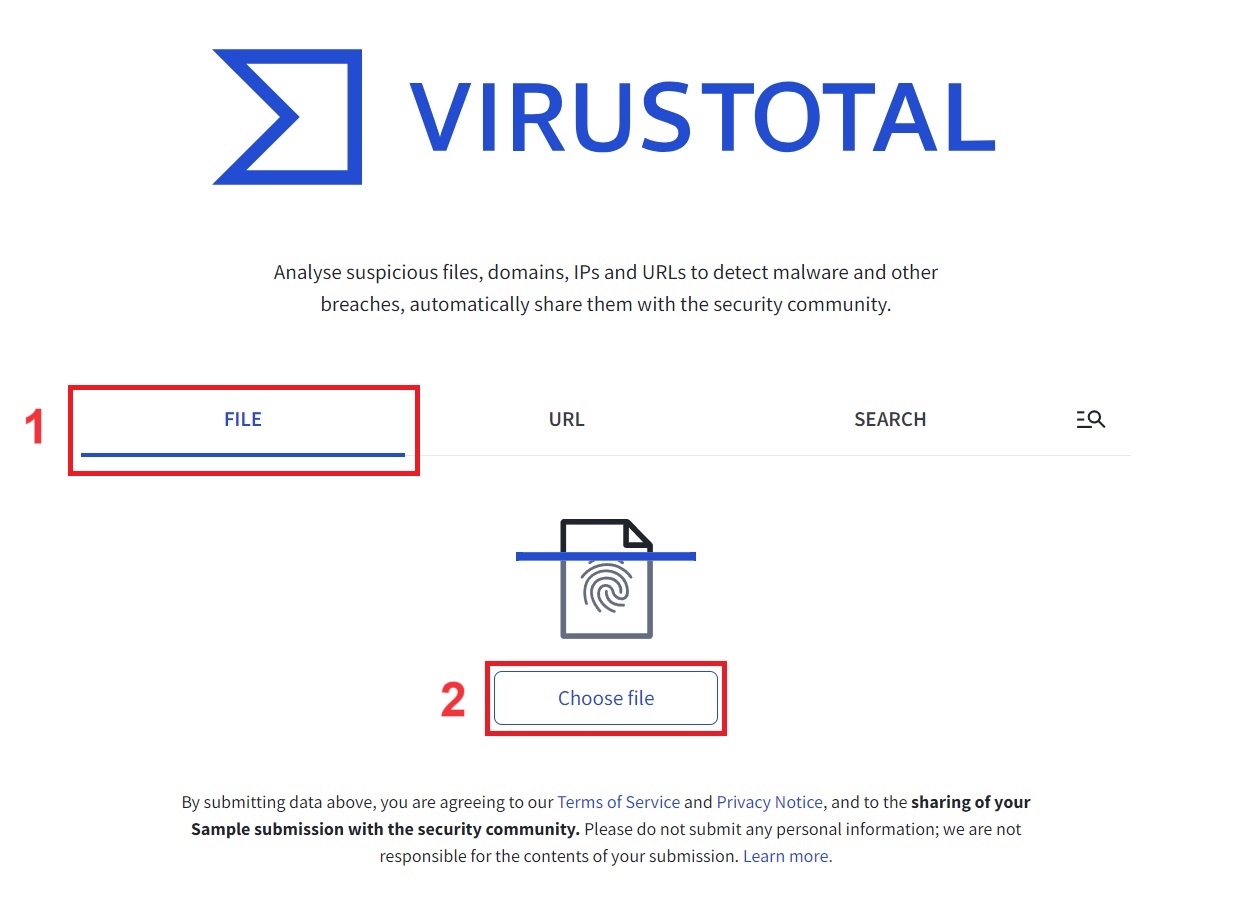
- After that, select the Reanalyze option to guarantee that the evaluation is done promptly on the specified date and time to assure the most recent findings. All you have to do is wait till the results show.

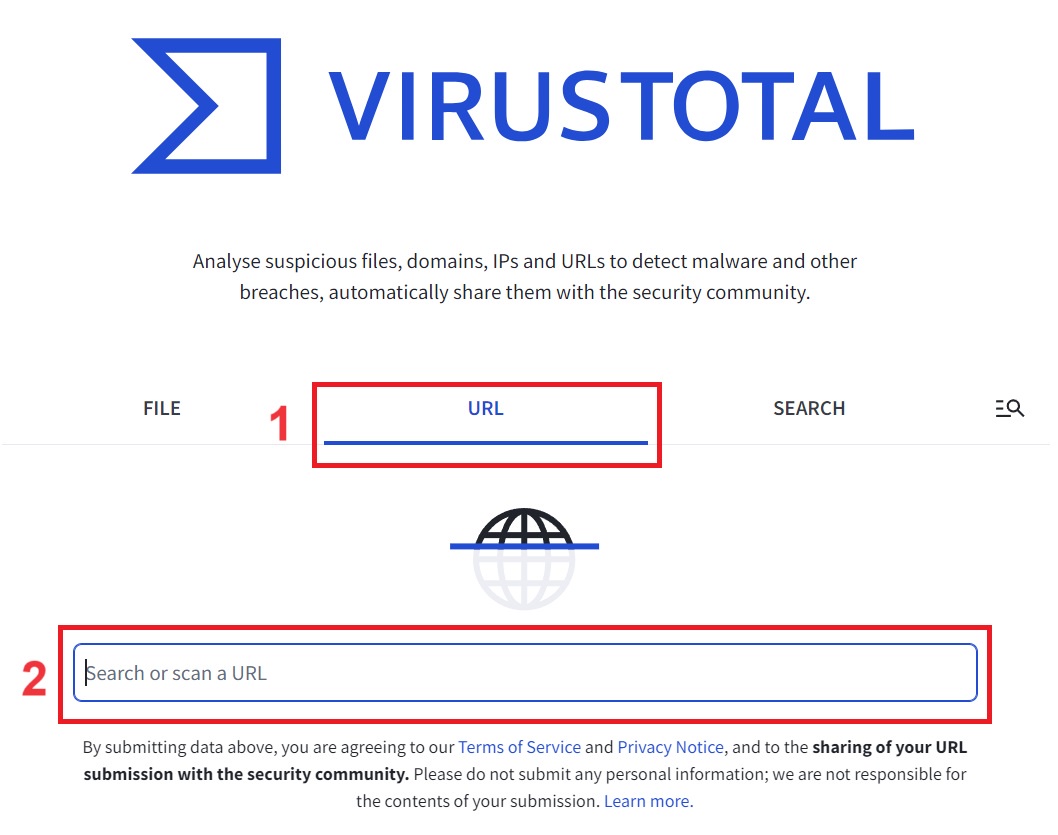
- The alternative approach to verify a file, link, or website is to click on the URL option and then enter the link that you wish to examine. You can enter a direct file link or a website link, then hit ENTER on your computer or mobile phone's keyboard.
As a result, you can be confident that you are using safe files without encountering any issues or worries that might cause major damage to your website, computer, or smartphone.
Was this article helpful?
0 out of 0 found this helpful
Still no luck? We can help!
Get in touch with GNU STOCK friendly support team.
Create Support Ticket