Introducing GNU STOCK Membership | Unlock unlimited downloads from $9.99/month. Get Access Now

Temporary Login Without Password

Temporary Login Without Password
Free

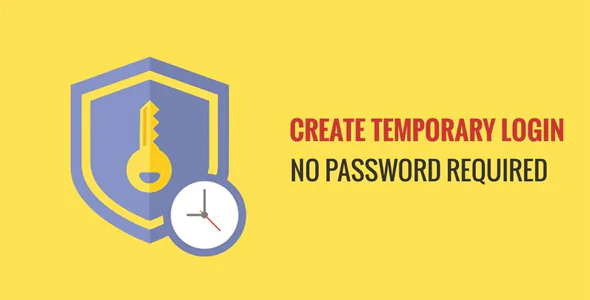
The "Temporary Login Without Password" plugin for WordPress provides a streamlined method to create temporary login links that allow users to access your site without needing a password. Here are the detailed features and highlights of the plugin:

Key Features:

Generate Temporary Login Links:

  • Administrators can create login links that provide temporary access to users without requiring a password. This is particularly useful for granting short-term access to developers, designers, or support staff.

Customizable Expiry Times:

  • The plugin allows you to set expiration times for the temporary login links. You can choose the duration for which the link will be active, from a few hours to several days, ensuring temporary access aligns with your needs.

Assign User Roles:

  • When creating a temporary login link, you can assign a specific user role to the temporary user. This ensures that the user has the appropriate permissions and access level while using the temporary link.

No Password Requirement:

  • Users accessing the site through the temporary link do not need a password, simplifying the login process and reducing the need to manage temporary passwords.

Usage Scenarios:

  • Ideal for providing temporary access to external collaborators without sharing permanent login credentials. It's also useful for troubleshooting, demonstrations, and other short-term activities.

Additional Details:

Security:

  • Despite the absence of a password, the plugin maintains security by limiting the access duration and specifying user roles, reducing the risk of unauthorized access.

Ease of Use:

  • The plugin is designed to be user-friendly, making it easy for administrators to generate and manage temporary login links without technical complexity.

Compatibility:

  • Compatible with the latest versions of WordPress, ensuring it integrates seamlessly with your existing setup.

Management Interface:

  • The plugin provides a straightforward interface within the WordPress dashboard to manage active temporary logins, including the ability to revoke access if necessary.

Practical Applications:

Development and Testing:

  • Grant developers or testers temporary access to your site to perform specific tasks without needing to share sensitive credentials.

Client Review:

  • Allow clients to preview changes or review progress on a project without creating a permanent user account for them.

Support and Troubleshooting:

  • Provide support staff with temporary access to diagnose and fix issues on your site.

Installation and Usage:

Installation:

  • The plugin can be installed directly from the WordPress plugin repository. Search for "Temporary Login Without Password" in the plugins section of your WordPress dashboard and install it.

Creating a Temporary Login:

  • After installation, navigate to the plugin's settings. You can generate a new temporary login link by specifying the user details, role, and expiration time.

Managing Logins:

  • The plugin's dashboard allows you to view all active temporary logins, including their expiration times and the ability to revoke access as needed.

For more detailed information and to download the plugin, visit the Temporary Login Without Password plugin page on WordPress.org.

Developer Website / Live Preview URL:

https://wordpress.org/plugins/temporary-login-without-password

This item has been offered by mahmoud noaman studios for free. By downloading this item, you agree to the GNU STOCK Free Item Policy. Support and updates are not provided for free files.

Mahmoud Noaman Studios's other items

By choosing "Accept" you agree to store cookies on your device to improve site navigation, analyse use, and aid in marketing activities.

Read More